Order process
If you are in need of assistance, please don't hesitate to send us an e-mail at [email protected] or give us a call by phone: +31 10 281 0135.
First registrate here:
If you live outside the Netherlands or Belgium, you can simply enter your address during registration and choose the country field: The Netherlands instead of your own country. If you want to have your invoice adjusted with the correct information, please send an e-mail to [email protected] with your order number and the correct country. We will adjust the invoice for you and send it back to you by e-mail.
Order Process
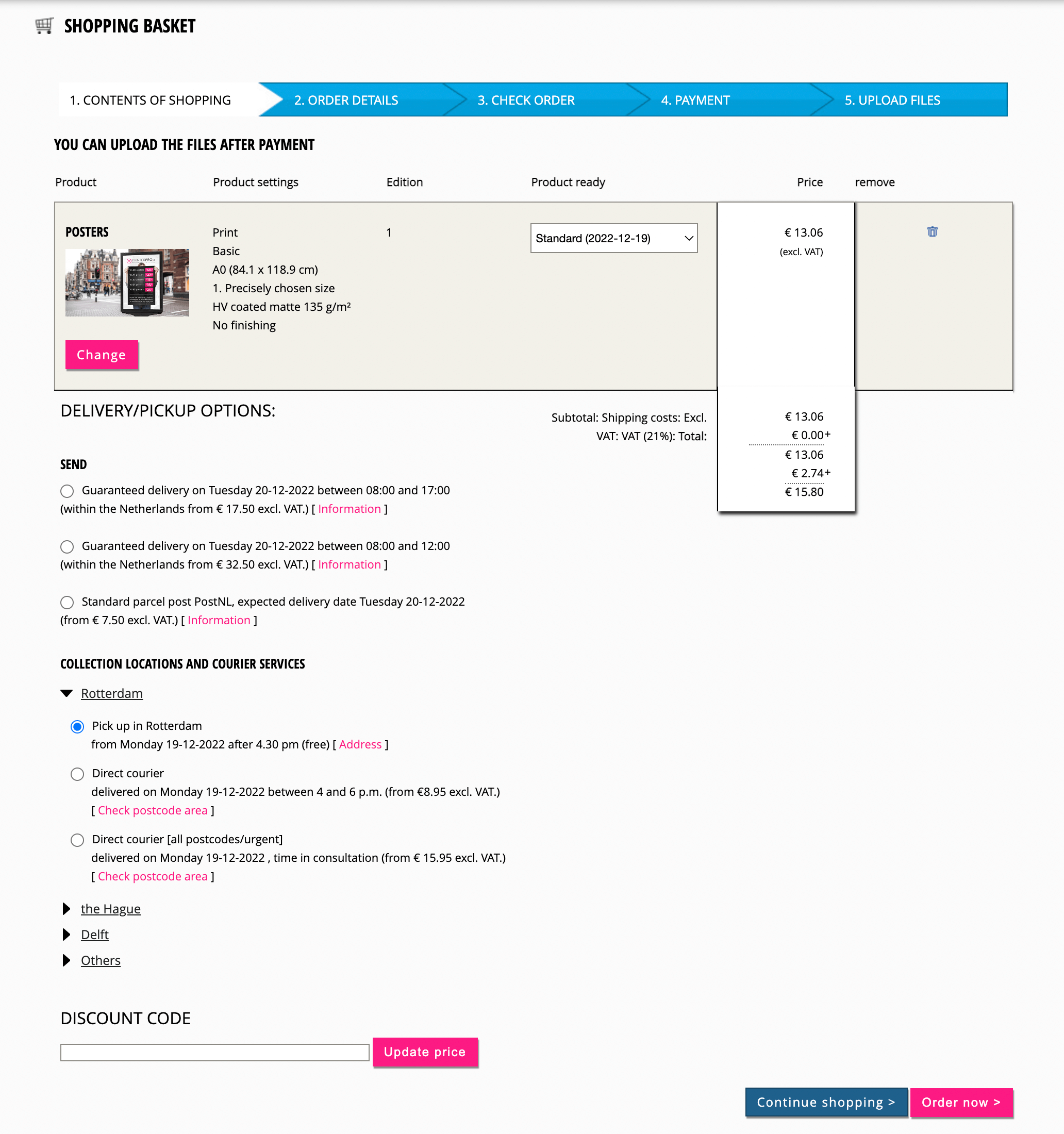
Step 1: Choose the desired product
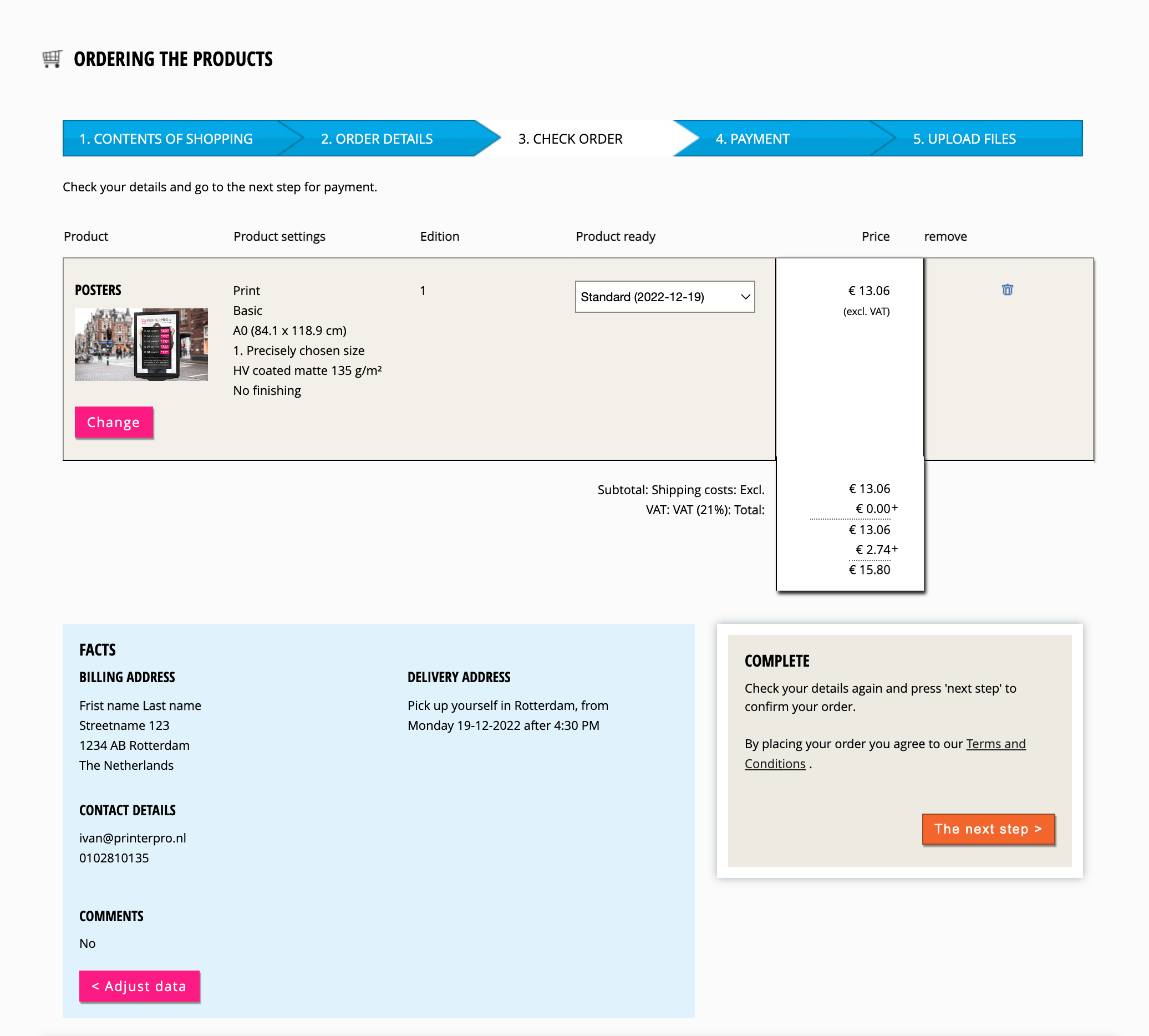
- In the check order screen you will see an overview of the chosen product (s), the chosen delivery and your data. Check your order and proceed to the payment screen.
Step 2: payment of your order
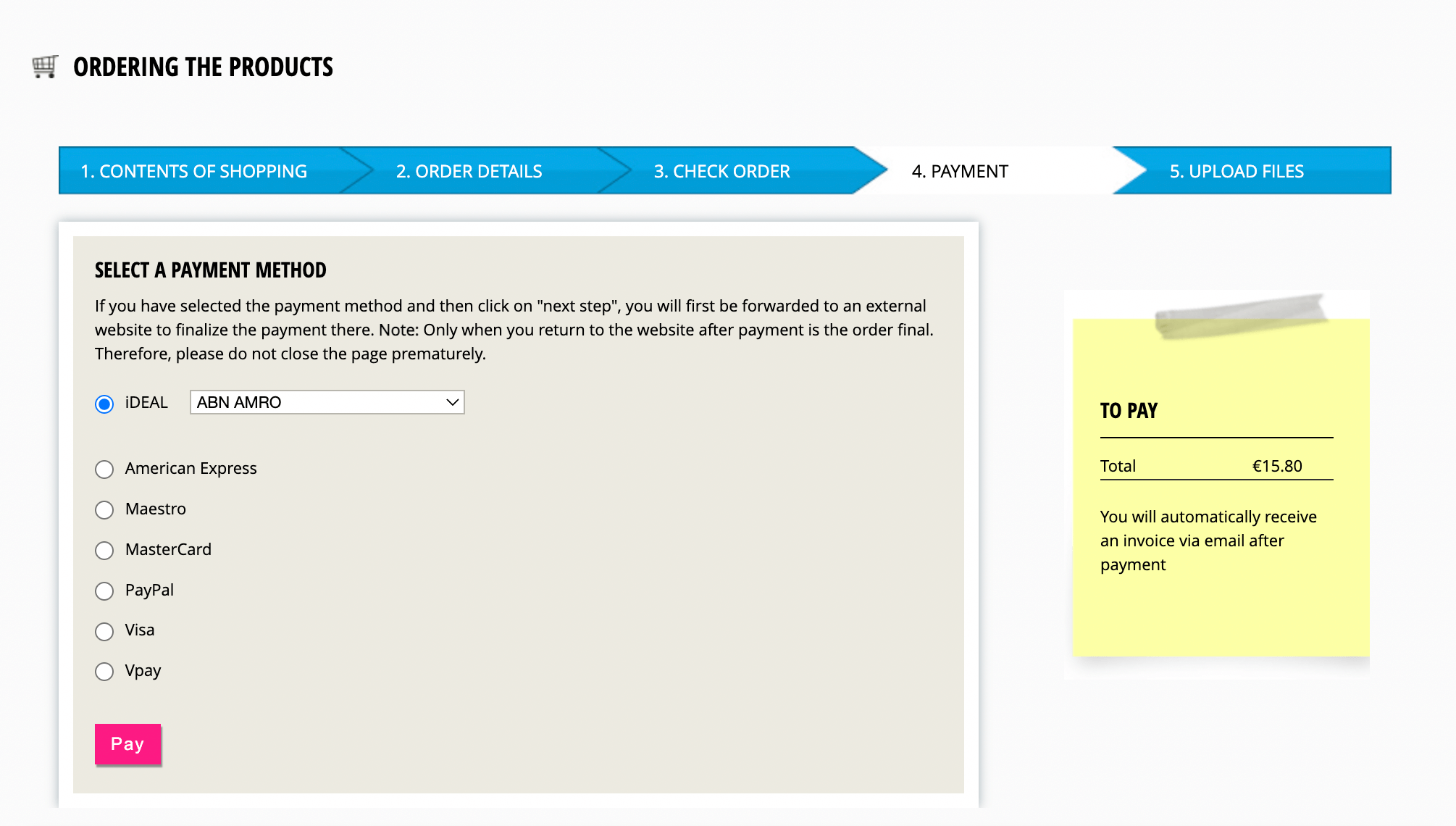
- In the payment screen choose the desired payment method. After the payment you will automatically return to the Uploading screen and you will receive an email with the invoice of your order.
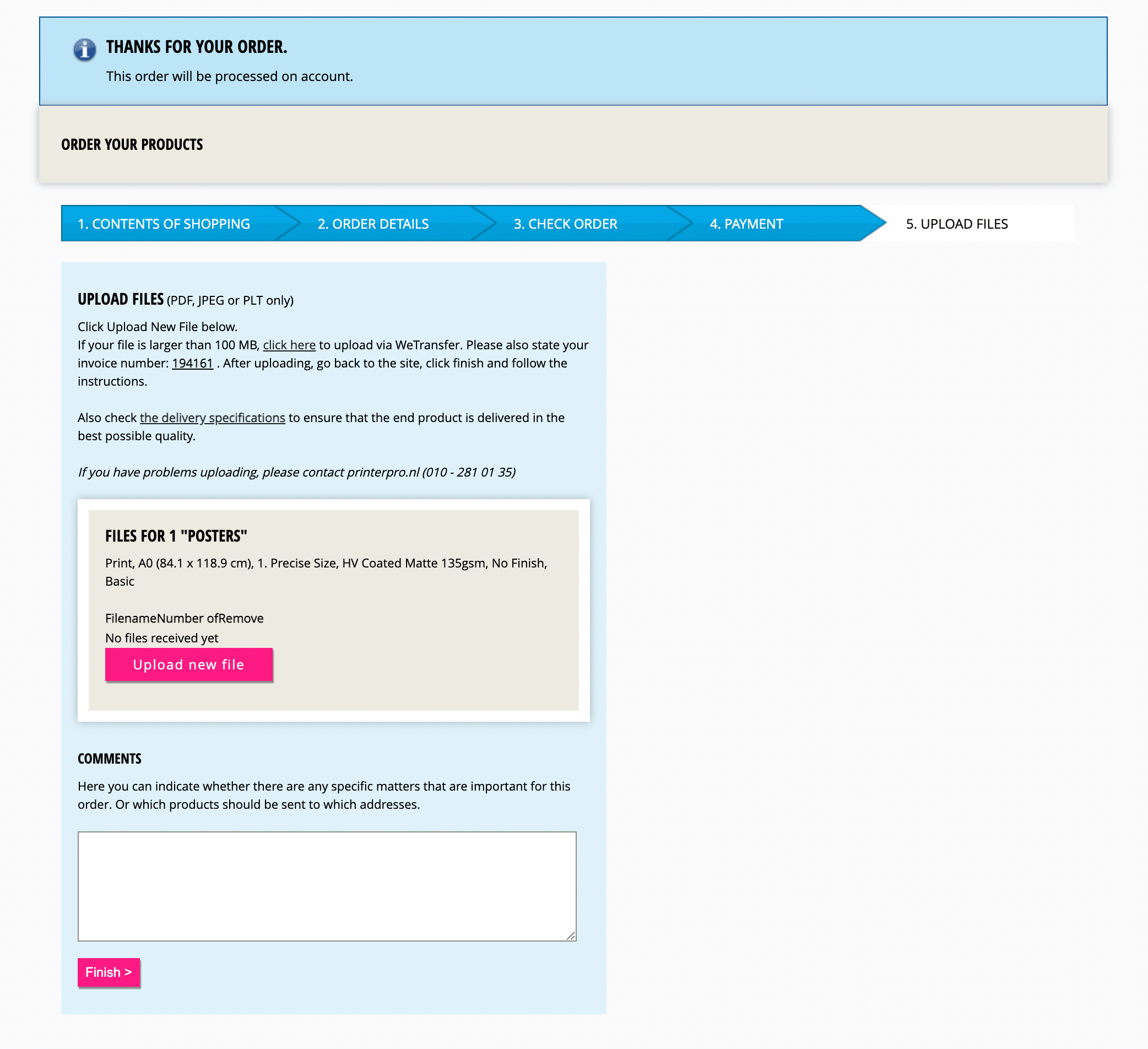
Step 3: upload your files
- In the uploading screen there are two options for submitting files:
- Upload via the upload screen for files smaller than 100 MB. Click on upload new file for each product and select the files that you will be supplying. You can indicate per file how many times you want to print it.
- Upload via WeTransfer for files larger than 100 MB. Click on the link to WeTransfer and upload your files. When you are done, return and click to complete your order.
- When you have finished submitting your files, click on 'afronden' (Finish). You will now receive the message: Your files have been received and the order has been processed.
If you are in need of assistance, please don't hesitate to send us an e-mail at [email protected] or give us a call on phone number +31102810135.
|